
Build your first Glixo extension
An extension adds a feature to Glixo: a model connection, an agent tool, a background service, a panel, or message processing. You build a separate project with the public developer CLI. Glixo loads its package after the user installs it and approves its permissions.
You need Node.js 22 or newer, an editor, and a Glixo account when you are ready to install or publish. The CLI includes examples in C#, Go, Rust and TypeScript. You do not need Glixo's application source.
Start with a small example
Build a tool that counts words and characters. You can also download this complete project:
npm install --global @glixo/glxdev@0.3.5
glxdev new --kind reference --reference workflow-text-stats --language typescript --package-id org.example.text-stats --name "Text statistics" --publisher org.example --output ./text-stats
cd text-stats
glxdev doctor
glxdev check
npm ci --install-links
npm run build
npm test
glxdev pack
glxdev verify --output ./dist/package
new creates the manifest, source, build settings and tests. doctor checks the required tools. check validates your declarations. npm run build creates the TypeScript WebAssembly component. npm test exercises this TypeScript example's counting logic. pack writes dist/package/package.zip and its catalog metadata; verify --output ./dist/package checks the archive. A successful build is ready for the signing and installation steps.
The tool accepts {"text":"Glixo makes tools."} and returns {"wordCount":3,"characterCount":18}. Read the complete workflow example, or follow Build, test, and publish from project creation to a running extension.
Learn the SDK
The Extension SDK explains installation and public APIs in TypeScript, C#, Go and Rust. Start with your language guide, then use the invocation and host reference, HTTP guide, model-provider interface or UI bridge for the feature you are building. Each guide links directly to its public implementation.
Choose what to build
| Your goal | Start here |
|---|---|
| Connect a local or hosted model | Ollama provider, with discovery and streaming source |
| Add a button to a context menu | Reset a panel's preferences from a menu |
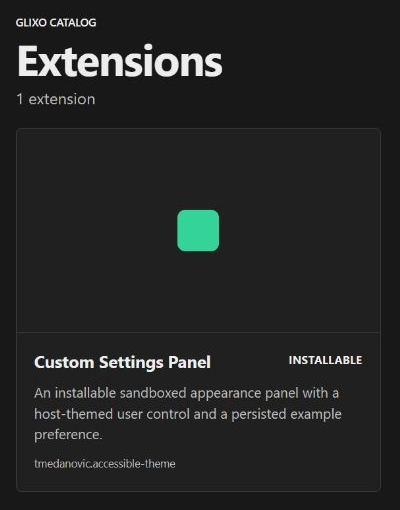
| Add a panel | Build a settings panel and its Save action |
| Add an agent tool or workflow step | Text statistics |
| Read workspace files | Workspace Health and Document Index |
| Run a scheduled task | Mail Watch service |
| Read or transform conversation messages | Message processing |
| Package reusable agent instructions | A review checklist skill |
Understand the files before editing them
Your project's glixo.extension.json is its manifest: a JSON file that tells Glixo what the extension contains, which component implements each feature, and which permissions it needs. The CLI creates it for you. The manifest guide shows complete files, explains every required field, and walks through changing one.
glixo.project.json selects your language and build recipe. Your source lives under src/; a web panel also has ui/index.html. The CLI generates glixo.module.json when packaging. That file describes the downloadable ZIP and its digest. You normally edit the extension manifest and let the CLI generate the distribution file.
Run with the user's permission
The host is the Glixo app or server that runs your extension. A contribution is one declared feature, such as a tool or panel. Declare only the capabilities your feature needs. Installing stores the package; activating starts its approved features. A network provider also needs a separately approved account connection.
Glixo supplies scoped handles for approved network connections, secrets, workspace files and storage. Credentials belong in Glixo's connection setup. Keep them out of source files, manifests, screenshots and browser assets.
Check support for your feature
These guides describe Glixo's extension platform. Examples marked Preview have specific limits listed beside their instructions. Panel support, for example, is a Windows preview; Linux and mobile custom panels are unavailable. See Extension types before choosing a feature. The public CLI, SDK and example sources let you develop independently of Glixo's private application repository.