
Create and edit your extension manifest
A manifest is the JSON file that describes an extension to Glixo. Create it with glxdev new; edit it in your own project as you implement features. You do not need to invent a file format or change Glixo's application.
Create the file
glxdev new --kind reference --reference workflow-text-stats --language typescript --package-id org.example.text-stats --name "Text statistics" --publisher org.example --output ./text-stats
cd text-stats
Open glixo.extension.json in your editor. This is the complete generated Text Stats manifest, with the example identity filled in:
{
  "schemaVersion": 2,
  "id": "org.example.text-stats",
  "version": "0.1.0",
  "metadata": {
    "name": "Text statistics",
    "description": "Counts Unicode words and characters for workflow text."
  },
  "compatibility": {
    "schema": 2,
    "witWorld": "glixo:contribution/contribution@1.0.0"
  },
  "components": [
    {
      "id": "text-stats",
      "cell": "server",
      "runtime": "wasm-component",
      "artifact": "dist/glixo-extension.component.wasm",
      "world": "glixo:contribution/contribution@1.0.0"
    }
  ],
  "permissions": {
    "requested": [
      {
        "id": "tool.invoke",
        "scope": {
          "tools": [
            "text-stats"
          ]
        },
        "reason": "Allow an explicit workflow node to run this read-only text summary."
      }
    ]
  },
  "contributions": {
    "tools": [
      {
        "id": "text-stats",
        "component": "text-stats",
        "world": "glixo:contribution/contribution@1.0.0",
        "description": "Count words and Unicode scalar characters in workflow text.",
        "inputSchema": {
          "type": "object",
          "additionalProperties": false,
          "required": [
            "text"
          ],
          "properties": {
            "text": {
              "type": "string",
              "maxLength": 65536,
              "description": "Text supplied by a workflow input binding or a saved default."
            },
            "includeWhitespace": {
              "type": "boolean",
              "default": true,
              "description": "Include whitespace scalar values in characterCount."
            },
            "minimumWordLength": {
              "type": "integer",
              "minimum": 1,
              "maximum": 128,
              "default": 1,
              "description": "Count only whitespace-delimited words at least this many Unicode scalar values long."
            }
          }
        },
        "outputSchema": {
          "type": "object",
          "additionalProperties": false,
          "required": [
            "wordCount",
            "characterCount"
          ],
          "properties": {
            "wordCount": {
              "type": "integer",
              "minimum": 0
            },
            "characterCount": {
              "type": "integer",
              "minimum": 0
            }
          }
        },
        "safety": "readonly",
        "timeoutMs": 2000,
        "cancellable": true,
        "idempotent": true
      }
    ]
  }
}
Read the original manifest and handler beside it. Download the complete manifest schema to use in your editor. The public SDK schema source identifies the schema shipped with the pinned examples.
What must be present
| Field | What it means and who writes it |
|---|---|
schemaVersion |
Keep the generated value 2. It selects the file format; it is not your extension's release number. |
id |
Your stable package identifier, for example org.example.text-stats. Use lowercase letters, digits, dots and hyphens. Keep it stable across updates. |
version |
Your extension release, for example 0.1.0. Increase it when publishing a changed package. |
metadata.name |
The readable name shown to users. description explains its purpose; license states your code's license. |
components |
Executable or UI files. Each component needs a stable ID, execution cell, runtime and relative artifact path. A WebAssembly component also declares its interface world. |
contributions |
The user-facing features: tools, actions, surfaces, llmProviders, and other supported groups. Their component values point to component IDs in this same file. |
permissions.requested |
Every protected operation your feature needs. Include a narrow scope and a plain explanation for consent. A declaration is a request; Glixo grants access only after approval. |
compatibility |
Interface requirements used by the runtime. Preserve the template's values unless you intentionally change the interface or UI tier. |
configurations |
References to configuration schemas when a feature needs settings. Declare paths and include the files. |
artifacts |
Additional packaged assets with relative paths and exact digests, when required by the feature. |
At schema level the required top-level fields are schemaVersion, id, version and metadata, with a nonempty metadata.name. An executable extension also needs the components, contribution declarations and permissions needed to run its feature. A metadata-only JSON document is not an implemented extension. Do not add arbitrary fields: unknown top-level properties are rejected.
Follow one feature from declaration to code
In Text Stats, contributions.tools[0].component points to the text-stats component. That component's artifact points to the file produced by glxdev build. Its inputSchema requires a string text; its outputSchema describes wordCount and characterCount. The permission allows invoking only text-stats.
glixo.project.json is the companion build file, not another extension manifest:
{
  "schemaVersion": 1,
  "language": "typescript",
  "components": [
    { "id": "text-stats", "language": "typescript", "recipe": "contribution-typescript-v1", "artifact": "dist/glixo-extension.component.wasm" }
  ]
}
The component ID and artifact path must agree in both files. The recipe selects the TypeScript compiler and component build commands. The scaffold supplies the matching SDK, WIT files and dependency pins.
Example: a panel and its Save action
A panel has two components: the HTML shown in an isolated browser surface and the action component that saves data. Here is the complete Accessible Theme manifest with its identity filled in:
Show the complete panel manifest
{
  "$schema": "https://schemas.glixo.dev/extension-manifest/v2.json",
  "schemaVersion": 2,
  "id": "org.example.workspace-panel",
  "version": "0.1.0",
  "metadata": {
    "name": "Workspace panel",
    "description": "An installable sandboxed appearance panel with a host-themed user control and a persisted example preference.",
    "license": "MIT"
  },
  "compatibility": {
    "schema": 2,
    "witWorld": "glixo:contribution/contribution@1.0.0",
    "uiBridge": "sandboxed-web.v1"
  },
  "components": [
    {
      "id": "panel-ui",
      "cell": "browser",
      "runtime": "sandboxed-web",
      "artifact": "ui/index.html",
      "digest": "sha256:8016f7bb1b1a6e72c1da22cc01d3b6534b32a68f308e0135d2219180ef6d529b"
    },
    {
      "id": "panel-actions",
      "cell": "server",
      "runtime": "wasm-component",
      "artifact": "dist/glixo-extension.component.wasm",
      "world": "glixo:contribution/contribution@1.0.0"
    }
  ],
  "permissions": {
    "requested": [
      {
        "id": "storage.extension",
        "scope": {
          "prefixes": [
            "accessible-theme/preferences/"
          ]
        },
        "reason": "Persist only the panel's selected appearance preference in this extension's namespaced storage."
      },
      {
        "id": "ui.surface",
        "scope": {
          "contributions": [
            "themed-custom-panel"
          ],
          "placements": [
            "settings.extensions"
          ]
        },
        "reason": "Materialize this sandboxed settings panel only at its declared extension-settings placement."
      },
      {
        "id": "host.action",
        "scope": {
          "actions": [
            "save-preferences"
          ]
        },
        "reason": "Invoke only the panel's declared preference-saving action through the host bridge."
      }
    ]
  },
  "contributions": {
    "surfaces": [
      {
        "id": "themed-custom-panel",
        "uiTier": "sandboxed-web",
        "title": "Personal appearance",
        "placements": [
          "settings.extensions"
        ],
        "origin": "opaque-extension",
        "component": "panel-ui",
        "assets": [
          {
            "path": "ui/index.html",
            "digest": "sha256:8016f7bb1b1a6e72c1da22cc01d3b6534b32a68f308e0135d2219180ef6d529b",
            "mediaType": "text/html"
          }
        ],
        "actions": [
          {
            "kind": "action",
            "id": "save-preferences"
          }
        ],
        "compatibility": {
          "schema": 2,
          "uiBridge": "sandboxed-web.v1",
          "requiresRuntime": false
        }
      }
    ],
    "actions": [
      {
        "id": "save-preferences",
        "title": "Save appearance preference",
        "component": "panel-actions",
        "placements": [
          "settings.extensions"
        ],
        "context": "project",
        "parameters": {
          "type": "object",
          "additionalProperties": false,
          "required": [
            "accent",
            "largeControls"
          ],
          "properties": {
            "accent": {
              "type": "string",
              "pattern": "^#[0-9a-fA-F]{6}$"
            },
            "largeControls": {
              "type": "boolean"
            }
          }
        },
        "result": {
          "type": "object",
          "additionalProperties": false,
          "required": [
            "accepted"
          ],
          "properties": {
            "accepted": {
              "type": "boolean"
            }
          }
        },
        "timeoutMs": 5000,
        "cancellable": true
      }
    ]
  }
}
The surface's actions lists the action it may invoke; the action's component points to the executable. ui.surface, host.action and storage.extension request separate access. The storage prefix confines writes to this panel's preferences. Follow Build a panel for the HTML and handler.
Validate and change the manifest
glxdev check
glxdev inspect
npm ci --install-links
npm run build
glxdev pack
glxdev verify --output ./dist/package
Run check after edits and fix its diagnostics before building. When adding a feature, declare its contribution, point it to a real component, and request the capabilities its code uses. When changing HTML assets, recompute the exact digest in each matching component/asset declaration. A SHA-256 is 64 lowercase hexadecimal characters; do not insert a made-up digest. The panel walkthrough includes a script for this.
Keep relative paths inside the package. ui/index.html is valid; an absolute machine path or ../other-project/file is not. Do not put tokens, passwords or account credentials in a manifest. Store them through Glixo's connection setup.
The catalog file is generated
After packaging, open dist/package/glixo.module.json. This distribution manifest describes your extension listing, downloadable ZIP, checksum and execution settings. The CLI writes it from your extension manifest and actual package bytes. Its manifestVersion: 1 is a required parser field, not a product generation or a promise that readers should know another format.
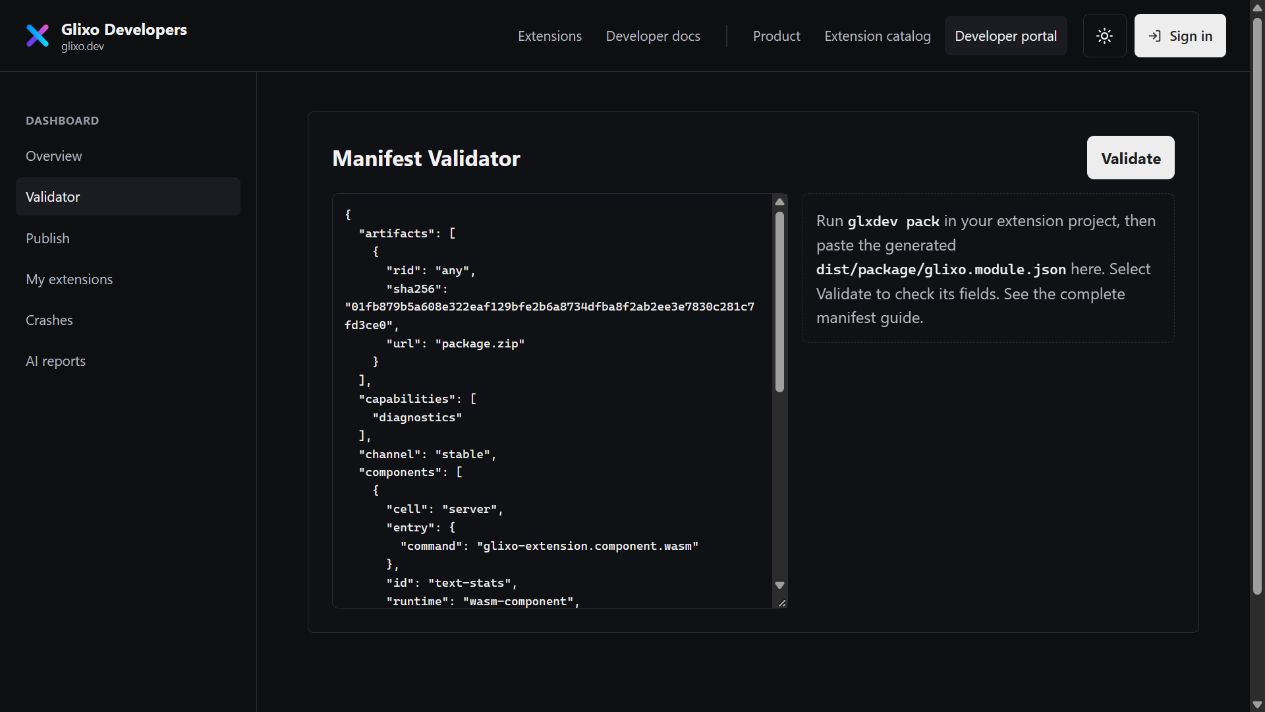
This is the distribution metadata generated for the Text Stats example above. The digest below identifies this example archive; generate your own by packaging your built files. The machine-specific publisher signature is omitted here, so this displayed file is not a signed installation package.
{
  "artifacts": [
    {
      "rid": "any",
      "sha256": "01fb879b5a608e322eaf129bfe2b6a8734dfba8f2ab2ee3e7830c281c7fd3ce0",
      "url": "package.zip"
    }
  ],
  "capabilities": [
    "diagnostics"
  ],
  "channel": "stable",
  "components": [
    {
      "cell": "server",
      "entry": {
        "command": "glixo-extension.component.wasm"
      },
      "id": "text-stats",
      "runtime": "wasm-component",
      "world": "glixo:contribution/contribution@1.0.0"
    }
  ],
  "description": "Counts Unicode words and characters for workflow text.",
  "entry": {
    "command": "glixo-extension.component.wasm"
  },
  "id": "org.example.text-stats",
  "manifestVersion": 1,
  "name": "Text statistics",
  "permissions": [
    "tool.invoke"
  ],
  "protocolVersion": "0",
  "requires": [],
  "runtime": {
    "kind": "wasm-component",
    "version": "glixo:contribution/contribution@1.0.0"
  },
  "version": "0.1.0"
}
Use this generated file in the portal validator and browser publisher. Use glixo.extension.json with glxdev check. A successful portal validation does not execute your code or prove that the archive is signed. See Build, test, and publish for both steps.